Hello affiliates,
We are excited to announce a new tool to help you along the renewal reporting process! We have heard that it can be difficult to pull together information from different sources when the reporting season begins. To make this easier for you, we created this spreadsheet so that all of the data required for your report is in one place. That way, you can keep track of your statistics and achievements throughout the year. With this spreadsheet, we hope that the time you spend preparing your reports each February will greatly decrease.
The spreadsheet can be found in three places:
- On the “renewal” tab of your account when signed in.
- The June edition of the BC USA e-newsletter.
- At either of these links:
Bee City USA (.zip)
Bee Campus USA (.zip)
Due to some of the advanced features that this spreadsheet contains, it must be shared as a compressed Zip file. We understand the general apprehension about downloading Zip files, but if the link is coming from one of the above places, then you know that it is safe for your computer. Below are instructions on how to access and open the files if you use a PC*.
*If you are a Mac user, the steps will be the same, except that for some, the Zip file will automatically extract the files upon download, meaning you can skip step 3, and find the file under your downloads.
If you have any questions about the spreadsheet or issues downloading the Zip file (whatever type of computer you use), please reach out to us at [email protected]!
Instructions for downloading and opening a Zip file:
- Go to one of the locations listed above to find the Zip file. When you open it, you may get a pop-up warning about Zip files. If you are downloading from one of the listed locations, you can click “OK”:


- The folder will automatically download, and can be found in the Downloads folder of your computer:

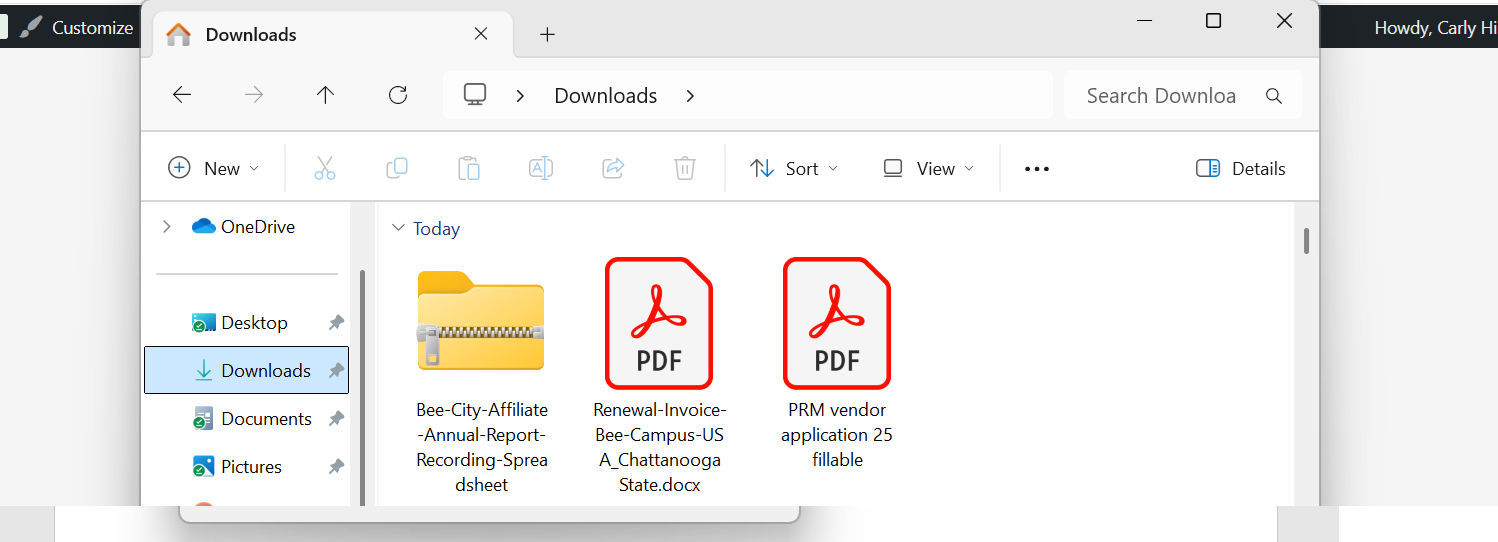
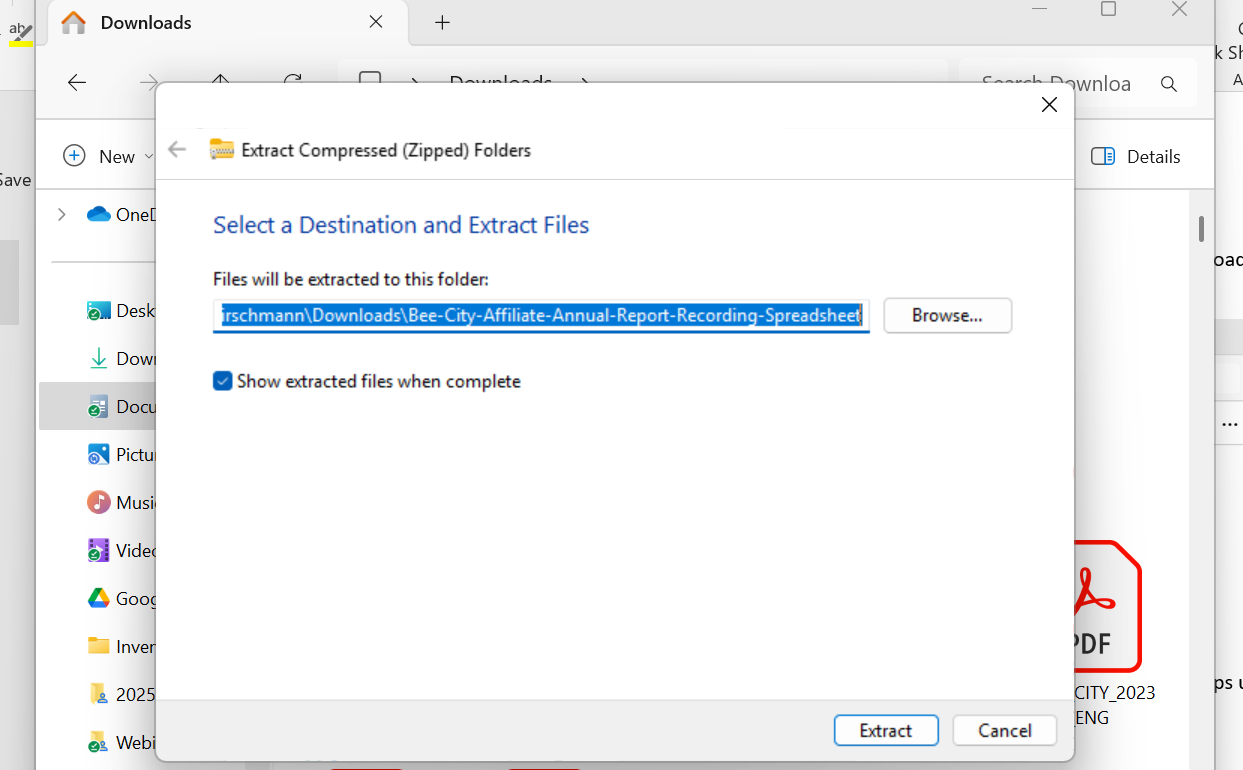
- Right click on the folder and select “Extract All” from the menu that pops up. On the window that pops up (“Select a Destination…”), use “Browse” to choose where you want the file to be saved and hit “Extract”:

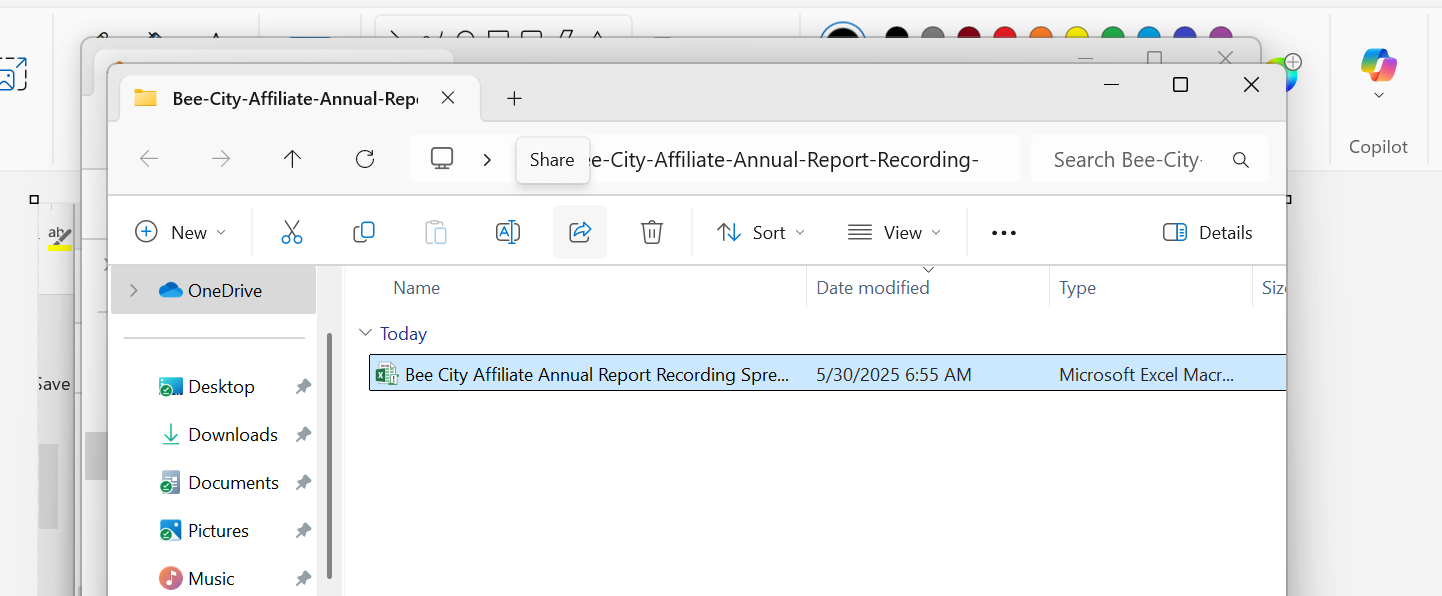
- After the file is extracted, another window should pop up with a list of files in the destination folder. Look for “Bee City Affiliate Annual Recording Spreadsheet” or “Bee Campus Affiliate … Spreadsheet.” Select and double-click on the file to open it up in Excel:

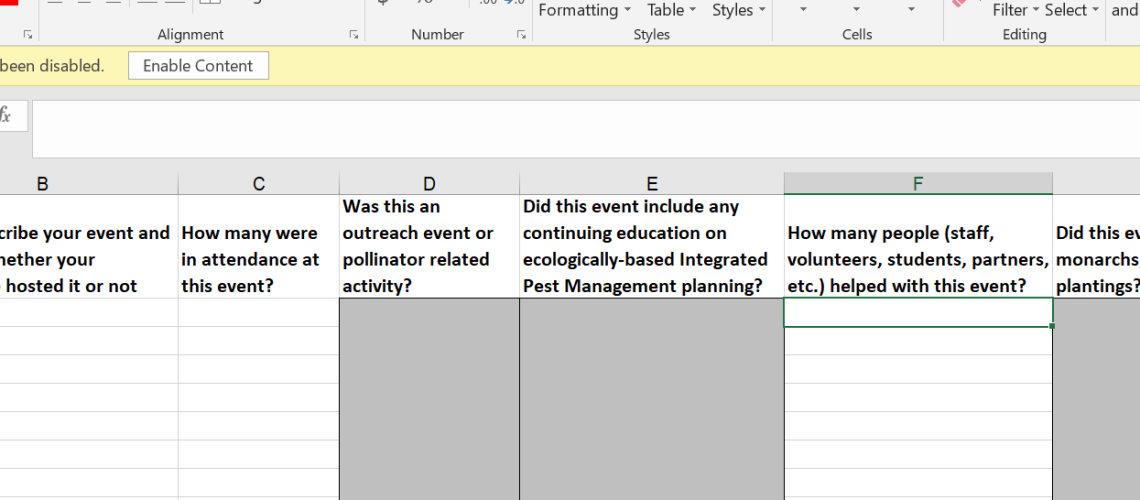
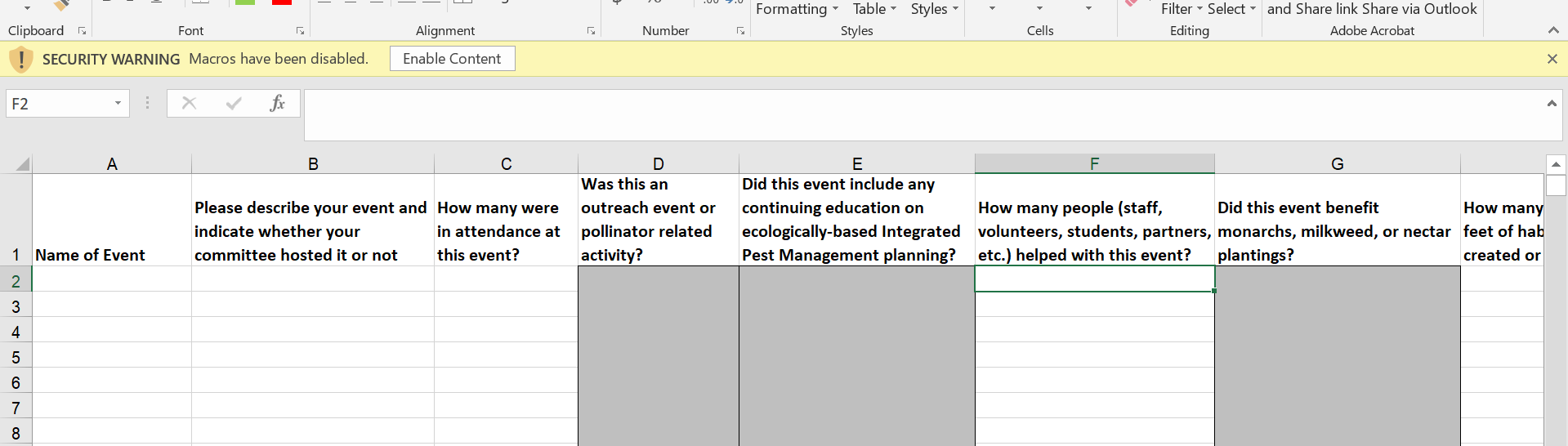
- You may need to hit “Enable Editing” and/or “Enable Content” in the yellow bar across the top of the screen once it has opened:

And that’s it! That may seem like a lot of steps, but it is a straightforward and quick process. You can now keep a record of all the great things you do during the year.